User guide
Brand monitoring
Set up a monitoring project, write query rules, read the mention feed, and understand which sources exist and which do not.
Brand monitoring collects public mentions of your brand and its competitors into a project you can filter, tag, chart and share. This page covers setting a project up, which sources exist, how fresh the data is, and how to read the mention feed without mistaking an estimate for a measurement.
What a monitoring project is
A monitoring project belongs to one brand. It carries the terms you are listening for, the competitors you want measured against you, the sources it is allowed to collect from, and every mention it has ever collected.
Open /monitoring and choose New project. You need the MANAGER role or above to create one; anyone from VIEWER up can read the results.
The form asks for:
- Brand. Set your brands up first, on Brands, aliases and competitors.
- Default language. English, Swahili or French. This is the language stamped on manually imported mentions and passed to the source adapters.
- Project name and an optional description for your teammates.
- Required terms. At least one. These are the terms the project is looking for.
- Excluded terms. Optional. Terms that filter a mention out.
- Sources. See the table below. Only the free RSS registry is ticked by default.
If you leave the required terms empty, the brand name is used as the single required term. Creating the project queues a first collection immediately, so the feed usually has something in it within a minute.
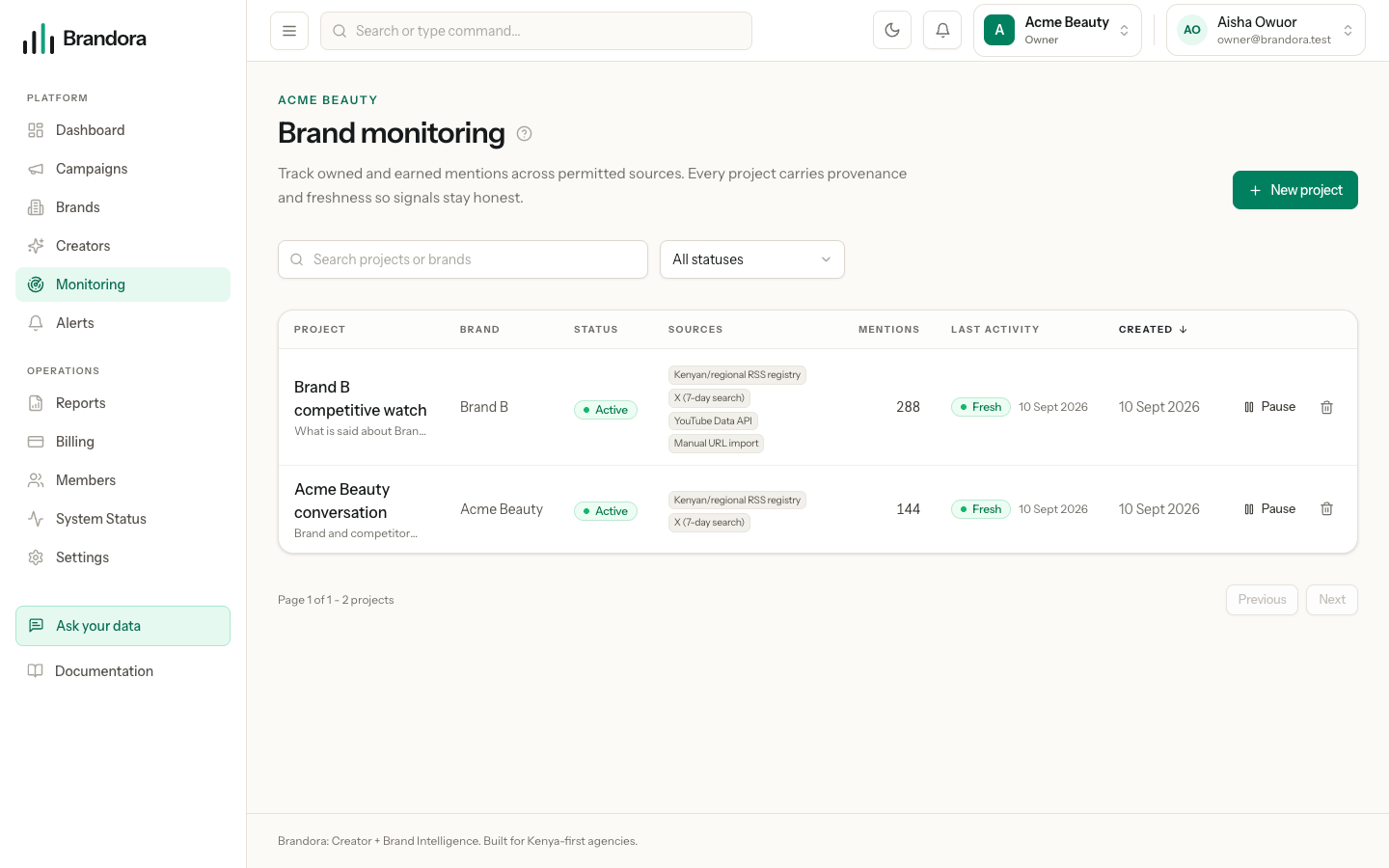
Which sources exist
| Source | What it covers | Cost |
|---|---|---|
| X (7-day search) | Public posts from the last seven days only. Longer history is not available on this tier | Paid: reserves provider budget on every fetch |
| YouTube Data API | Public video and channel search | Paid: reserves provider budget, and is quota bound |
| Kenyan/regional RSS registry | A curated registry of Kenyan and regional news and blog feeds | Free |
| Manual URL import | Any link you paste, including ones from platforms with no search API | Free |
Warning: Facebook, Instagram and TikTok cannot be keyword monitored, by anyone, through Brandora or otherwise. CrowdTangle closed in August 2024, Meta Content Library is research-only, and TikTok's Research API is restricted and not a commercial discovery interface. Brandora will not scrape them. The only way to see numbers from those platforms is a creator or brand authorizing their own account through Creator Connect, which returns that account's own data and nothing else. If you need a specific post from one of them in a project, paste its URL with Import URLs.
Manual import takes up to 100 links at a time, needs the MANAGER role, and records each link as a mention with MANUAL provenance. It stores the link, the date you imported it and the subject you assign; it does not fetch and parse the page behind it. Re-importing the same URL is a no-op, so you can paste a list twice without creating duplicates.
Collection cadence and provider budget
Brandora checks hourly whether an active project is due and collects once its interval has elapsed, six hours by default. A paid source is charged per fetch, so an hourly pass over every project would spend a month of provider budget with nobody touching the product. Reingest on the project page ignores that interval and collects now.
Paid sources pass a per-tenant budget governor: units are reserved before the call, settled after it succeeds, released when it fails. If the monthly cap is spent, that source is skipped for the run rather than failing the whole collection, so free sources keep working. Admins see the meter and the per-source spend on the project page.
Freshness
Every project carries a freshness badge derived from when it last ingested.
| Badge | Meaning |
|---|---|
| Fresh | Collected within the last 6 hours |
| Delayed | Collected between 6 and 48 hours ago |
| Stale | Collected more than 48 hours ago, or never collected |
A paused or archived project keeps drifting towards Stale, because the badge reports data age and nothing else. That is deliberate: it never claims data is current when it is not.
Query rules
Terms are stored as query rules, each with a type and a priority. The API exposes four types.
| Type | Role |
|---|---|
REQUIRED | A term the project is listening for. Seeded from the required terms in the create form |
EXCLUDED | A term that filters a mention out. Seeded from the excluded terms |
OPTIONAL | A term that broadens a query. Accepted and stored, but not yet sent to any source |
BOOLEAN | A raw boolean expression for a source that parses one. Accepted and stored, but not yet sent to any source |
Note: The create form collects required and excluded terms only, and there is no screen for editing rules afterwards. Adding, changing or removing a rule on an existing project is done through the API, at /organizations/{org}/monitoring-projects/{id}/query-rules.
Competitors are separate from query rules. Each competitor has a name and any number of aliases, and every mention is attributed to a subject, either your brand or one named competitor, which is what makes share of voice possible.
Reading the mention feed
The feed is newest first and pages as you scroll. Each card shows the source type, the publication, the sentiment estimate, whether the mention is about your brand or a competitor, and how long ago it was published. Below that sit an estimated reach figure, total engagement, the language and the country.
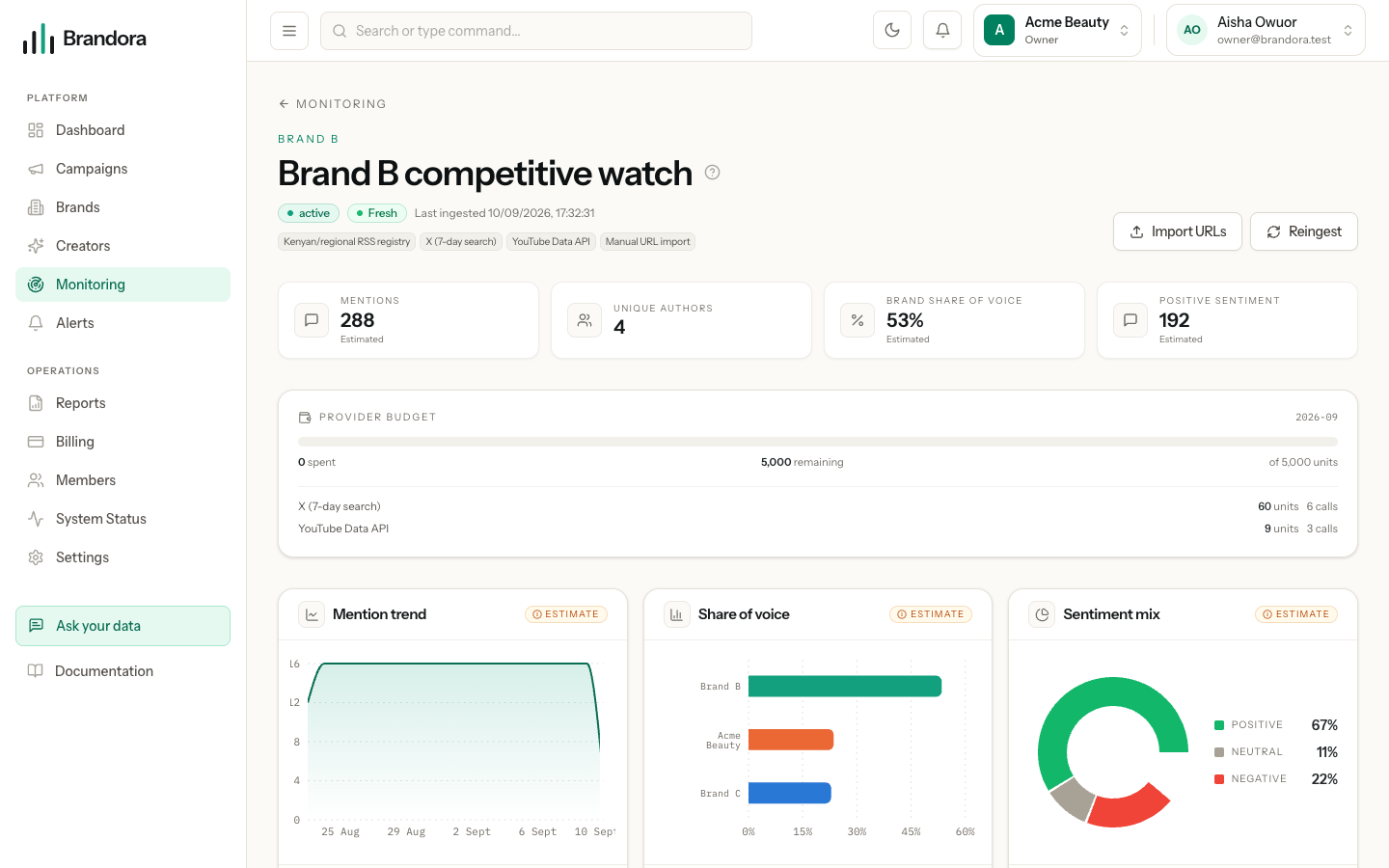
Filters, all combinable:
| Filter | Values |
|---|---|
| Search text | Matches the mention title or body |
| Sentiment | Positive, Neutral, Negative |
| Source type | News, blog, forum, social, review, video |
| Subject | Brand and competitors, brand only, or competitors only |
| Language | English, Swahili, French |
| Tag | An exact tag you or a teammate applied |
| From and To | Publication date range |
Tip: Nothing in the feed after filtering usually means the date range, not an empty project. Clear the filters before assuming collection has stopped.
Tags are free text, lowercased and up to 64 characters, and anyone from CONTRIBUTOR up can add or remove them. Notes are a threaded drawer per mention, visible to your whole workspace, with the author and date on each one. Both stay inside your organization.
Saved views
A set of filters you keep coming back to can be saved as a view. Save view becomes available once at least one filter is active, and you choose whether the view is private to you or shared with the whole organization. The Views menu lists your own views plus every shared one, and you can delete the ones you created. An ADMIN can delete anyone's.
Charts and what the numbers mean
The project page shows mention volume over time, share of voice across your brand and competitors, and the sentiment split, all read from a materialized daily aggregate rather than recomputed on every page load.
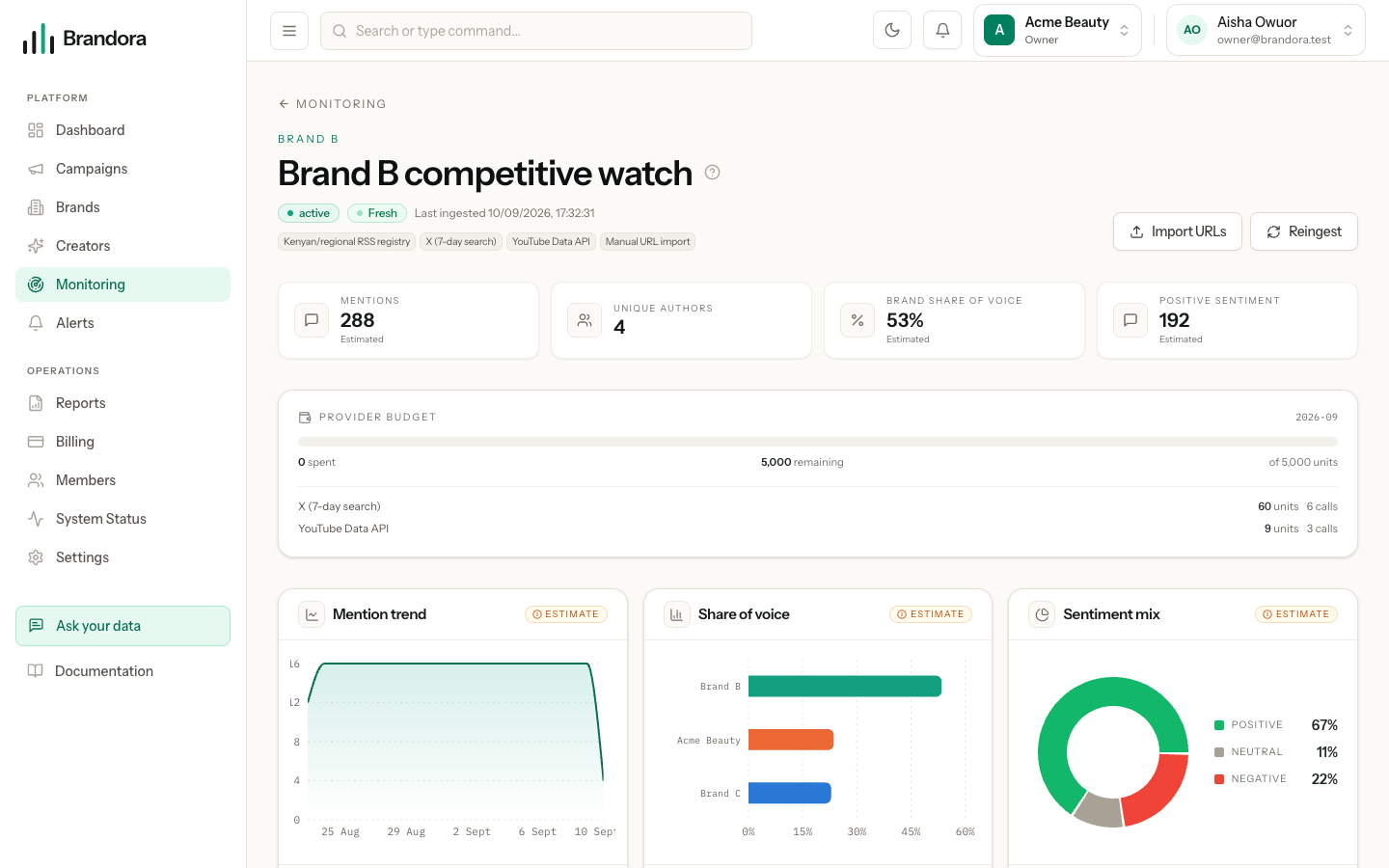
Every one of those figures is a provider estimate and is labelled as one. Sentiment is a classification, not a fact reported by the platform. Reach is an estimate and is marked (est.) on the card. Verified, first-party numbers only ever come from Creator Connect, and Brandora never silently substitutes an estimate for a missing first-party metric.
Pausing, archiving and deleting
Set a project to Paused and collection stops: no provider call, no budget reserved, no new mentions. Everything already collected stays, and setting it back to Active queues a catch-up collection at once. Archived behaves the same way for a project you have retired. Deleting a project needs the ADMIN role.