User guide
Account, portals and your data
Manage your own account, move between the workspace and creator portals, and export or delete your data.
One Brandora login can run an agency workspace, be a creator, or do both at once. This page covers moving between the two portals, what lives in account settings versus organization settings, how sign-in credentials are managed, and how to export or erase your organization's data.
One account, two portals
Brandora does not have two kinds of user. It has one account that can wear two hats.
- The workspace is where campaigns, brands, monitoring, a creator roster and teammates live.
- The creator portal is where your own media kit, connected accounts, contracts and published rates live.
An account may hold a workspace membership, a creator account, both, or neither. Adding one never converts the other, and nothing is migrated when you switch, which is exactly why switching back is free.
Open Portals and account type from the user card at the bottom of the sidebar, in either shell. It shows both surfaces and their state.
| Surface | If you have it | If you do not |
|---|---|---|
| Workspace | Go to workspace | Create a workspace, which asks only for a name |
| Creator portal | Go to creator portal, or Turn off | Become a creator |
Turning the creator portal off hides the creator surface from your account. Your creator profile, connected accounts, contracts and rates stay exactly as they are, and turning it back on returns you to all of them.
Switching portals day to day
The workspace tile at the top of the sidebar is the switcher. It opens as a dropdown even when you belong to a single workspace, because the creator portal lives in the same menu: pick another workspace, jump to the creator portal, or open a creator account if you do not have one.
Whichever surface you switch to becomes the one you land on next time you sign in. The creator shell deliberately drops every organization-scoped affordance, so no search, no workspace switcher, no notifications bell and no Ask AI: nothing in the creator portal is scoped to an agency, because your creator data is yours rather than any agency's.
Note: Being a creator and being on an agency's roster are different things. An agency can list you on its private roster without you having an account at all. Claiming that listing, and choosing which organizations may see your verified numbers, is covered in Who can see your data.
Account settings versus organization settings
| Page | Scope | Who can change it |
|---|---|---|
/account, or /creator/account | You: your portals and account type | You |
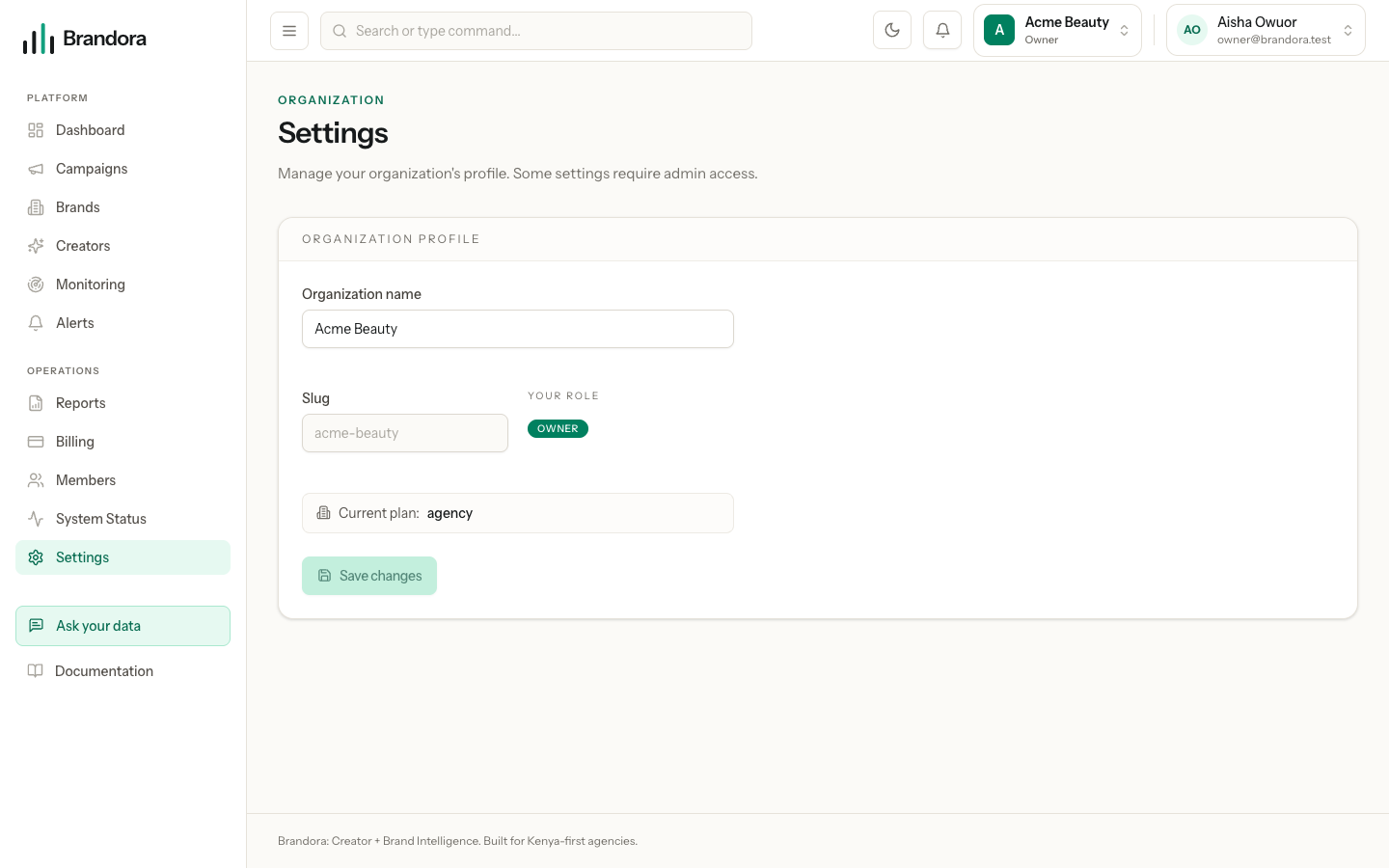
/settings | The workspace: its name | OWNER and ADMIN |
/members | The workspace: teammates, roles and invitations | OWNER and ADMIN |
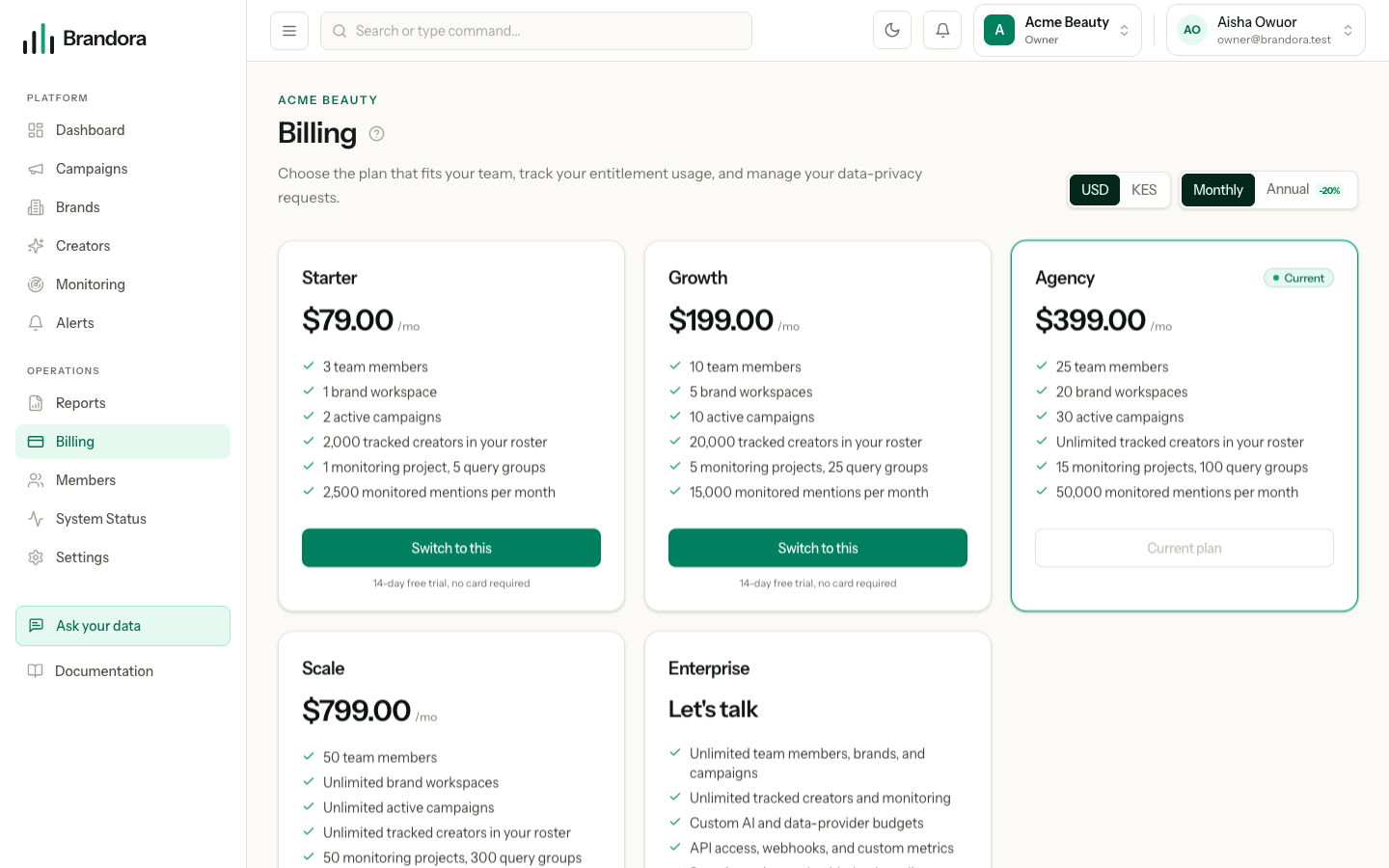
/billing | The workspace: plan, payment, usage, data requests | OWNER and ADMIN |
Organization settings show the workspace name, its slug, your role in it and the current plan. The name is editable by an admin; the slug is fixed once created, because links and invitations are built on it. If your role cannot edit, the page says so and names the role you have rather than showing a control that fails on click.
Signing in, passwords and email
Passwords are changed through the reset flow rather than a settings form. Go to /forgot-password, enter your address, and follow the emailed link to /reset-password. This works whether or not you are signed in, and the reset endpoints are rate limited, so a burst of attempts is refused for a while rather than failing silently.
Warning: There is no in-app "change password" or "change email address" form yet. Your email address is fixed at signup: it identifies the account, carries every invitation you have been sent, and is the address transactional mail goes to. Changing it needs support.
If you signed up with Google, Google remains your way in. If you signed up through Instagram, your email address is unverified until you verify it, because Instagram cannot vouch for an address it did not confirm. Verification is a signed link sent to the address itself, and following it marks the account verified and records the fact in the audit trail.
Notifications you receive
There are three ways Brandora reaches you, and they are configured in different places.
| Channel | Where it is configured | Who gets it |
|---|---|---|
| In-app inbox, the bell in the header | Always on | Every active member of the workspace |
| Per alert rule, and automatically for billing and workflow mail | Every active member's mailbox | |
| Nameable on an alert rule, but no provider is connected | Nobody yet |
Note: There are no per-person notification preferences yet. You cannot mute a category for yourself, and workspace email fans out to every active member rather than to a chosen list. The controls that do exist are per alert rule: pick its channels, or disable the rule. See Alerts.
Marking an item read in the bell is personal to you. Acknowledging or resolving an alert event is the team-wide action, and it is recorded with your name.
Exporting your organization's data
The Data and privacy card on /billing handles subject requests. Both actions need the OWNER or ADMIN role, and both are disabled while the workspace is frozen for non-payment.
Request export runs immediately and records the result against the request, which then appears in the list with its status and date. What it produces today is a structured summary: your organization's identity, counts of brands, campaigns, monitoring projects and roster entries, and a manifest naming the sections covered.
Warning: The export is a summary and a manifest, not a downloadable archive of every record, and no email is sent when it completes. For row-level data today, use the exports built into each surface: CSV from a report snapshot, CSV from the roster, PDF from a campaign performance report.
Requesting erasure
Request erasure records your intent and deliberately stays in a pending state for review rather than completing on its own. It does one thing immediately: it clears the free-text notes and tags from every roster entry in the organization, so the roster stops carrying personal references written by your team.
Warning: Erasure clears notes and tags across the whole roster, not for one creator, and that cannot be undone from the app. Everything else is retained, and the request is reviewed before anything further happens. Nothing about your subscription state ever triggers this: data is never deleted because a trial or a payment lapsed.
A creator revoking your access to their connected-account data is a separate mechanism entirely, made by the creator in their own portal. When a person asks Instagram to delete the data Brandora holds about them, they are given a status page at /data-deletion/{code} that reports what was removed and what was deliberately kept, since a deletion request covers the data Instagram provided rather than an agency's own record of work already delivered.