User guide
Creator lists and shortlists
Group creators into shortlists, share them internally, and turn a list into campaign assignments.
A creator list is a named group of creators: the shortlist for a pitch, the people you keep coming back to for beauty work, the ones you want to watch this quarter. Lists are lightweight by design, and this page is honest about how lightweight they are today, so you know when to use one and when to reach for the roster or a campaign instead.
What a list is
A list has a name, an optional purpose, and a set of creators in it. That is the whole object. It has no dates, no owner beyond a record of who created it, no per-creator note, no status per member, and no manual ordering.
Lists are separate from your roster. Putting someone on a list does not add them to your roster, does not consume your tracked creators allowance, and does not create any commercial relationship. A list is a grouping, and the roster is the relationship. See Your creator roster for the difference in full.
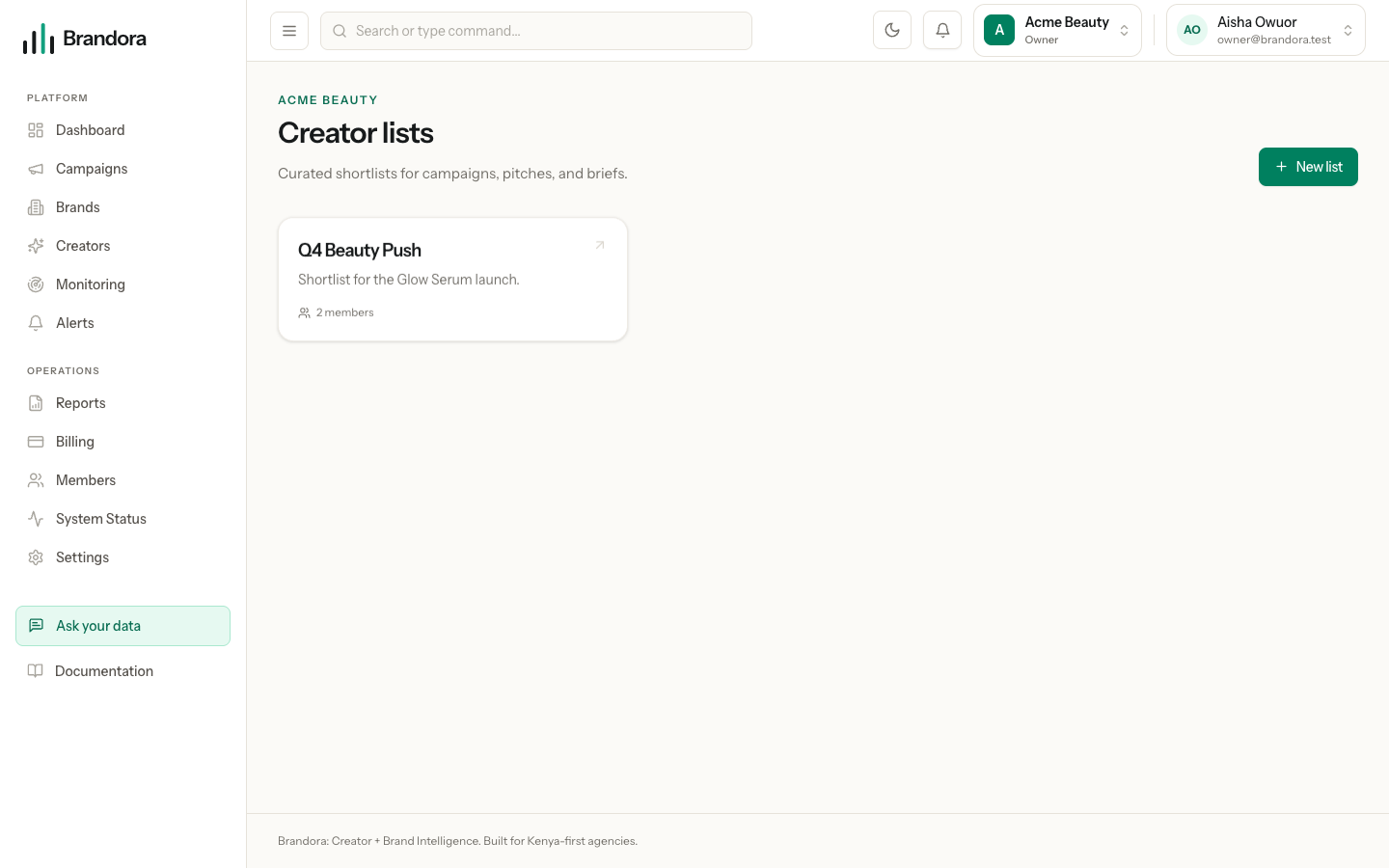
Lists are not in the sidebar. Reach them with the Lists button in the header of the Creators page, or go straight to /creator-lists.
Creating a list
Choose New list. Managers and above can create one.
| Field | Required | Limit |
|---|---|---|
| Name | Yes | Up to 255 characters |
| Purpose | No | Up to 64 characters |
Purpose is free text, not a fixed vocabulary, so use it the way you would use a subtitle: "Shortlist for the Glow Serum launch", "Always-on beauty", "Do not use, 2025".
Tip: The purpose field caps at 64 characters on the server but the form does not stop you typing past it, so a long sentence comes back as a validation error rather than being trimmed. Keep it to a few words.
Each card on the lists screen shows the name, the purpose and how many creators are in it. Opening a card shows the members, each linking through to their creator profile.
Who can see a list
Every member of your organization from Viewer upward can see every list in it. Lists are organization-private, so nobody outside your workspace can see them at all, but inside it there is no narrower visibility: a list cannot be limited to particular colleagues, and there is no personal or draft list.
There is also no way to share a list outward. A list has no guest link, no client-facing view and no export. If you need to show a client who you are proposing, use a report or a guest review link on a campaign instead.
Because a list carries only names, a Viewer looking at one learns nothing commercial. Rates stay on the creator profile and remain Manager and above, and agreed fees stay on the campaign assignment.
Adding and removing creators
Managers and above can add and remove members. You can add any creator from Brandora's shared catalog and any creator your own organization owns; another organization's private creators are not reachable, and an attempt to add one is refused as not found rather than as forbidden.
Adding the same creator twice is harmless: the list simply keeps one entry. Removing a member takes them off the list and changes nothing else about them, on your roster or anywhere else.
Members are listed in a fixed internal order rather than the order you added them, and there is no way to reorder them.
Warning: There is no control anywhere in the web app for putting a creator on a list. Discovery, the roster and the creator profile all lack a "save to list" action today, so lists you create through the interface stay empty unless someone populates them through the API. Until that control ships, treat the lists screen as a place to see and prune existing groups rather than to build new ones.
What lists do not do yet
It is worth being blunt about the gaps, because several of them are things people reasonably assume.
| You might expect | What actually happens |
|---|---|
| Rename a list | Not available. Create a new one |
| Delete a list | Not available. A list stays until the organization is deleted |
| Duplicate a list | Not available |
| Reorder members | Not available |
| Add several creators at once | Not available. Members are added one at a time |
| Share a list with a client | Not available. Lists never leave the workspace |
| Turn a list into campaign assignments | Not available. Assignment is a separate step, described below |
| A limit on lists or members | There is none, on any plan |
Getting creators onto a campaign
The obvious next move after building a shortlist is to hand it to a campaign, and that is the one thing a list cannot do. Nothing reads a list and creates campaign assignments from it, and a campaign cannot be pointed at a list.
The real workflow is on the campaign itself. Open the campaign at /campaigns, go to its creators section, and assign creators one at a time. Each assignment is a proper object rather than a name in a group: it carries the creator's role on the campaign, their status, the agreed fee in minor units with an explicit currency, and optionally the deliverables they owe, all created in the same interaction. That is why assignment is deliberately not a bulk copy from a list: an assignment is a commercial commitment and a list entry is not.
Use a list to decide who, then assign them on the campaign to record what and for how much. See Campaigns and briefs for the assignment fields, and Deliverables and the calendar for what each creator then owes.