Creator guide
Creator accounts
What a creator account is, how it differs from an agency workspace, and how to create one.
A creator account holds your profile, the social accounts you connect, and your contracts, and it belongs to no agency. This page explains what that account is, how it differs from a workspace account, and how to open one.
What a creator account is
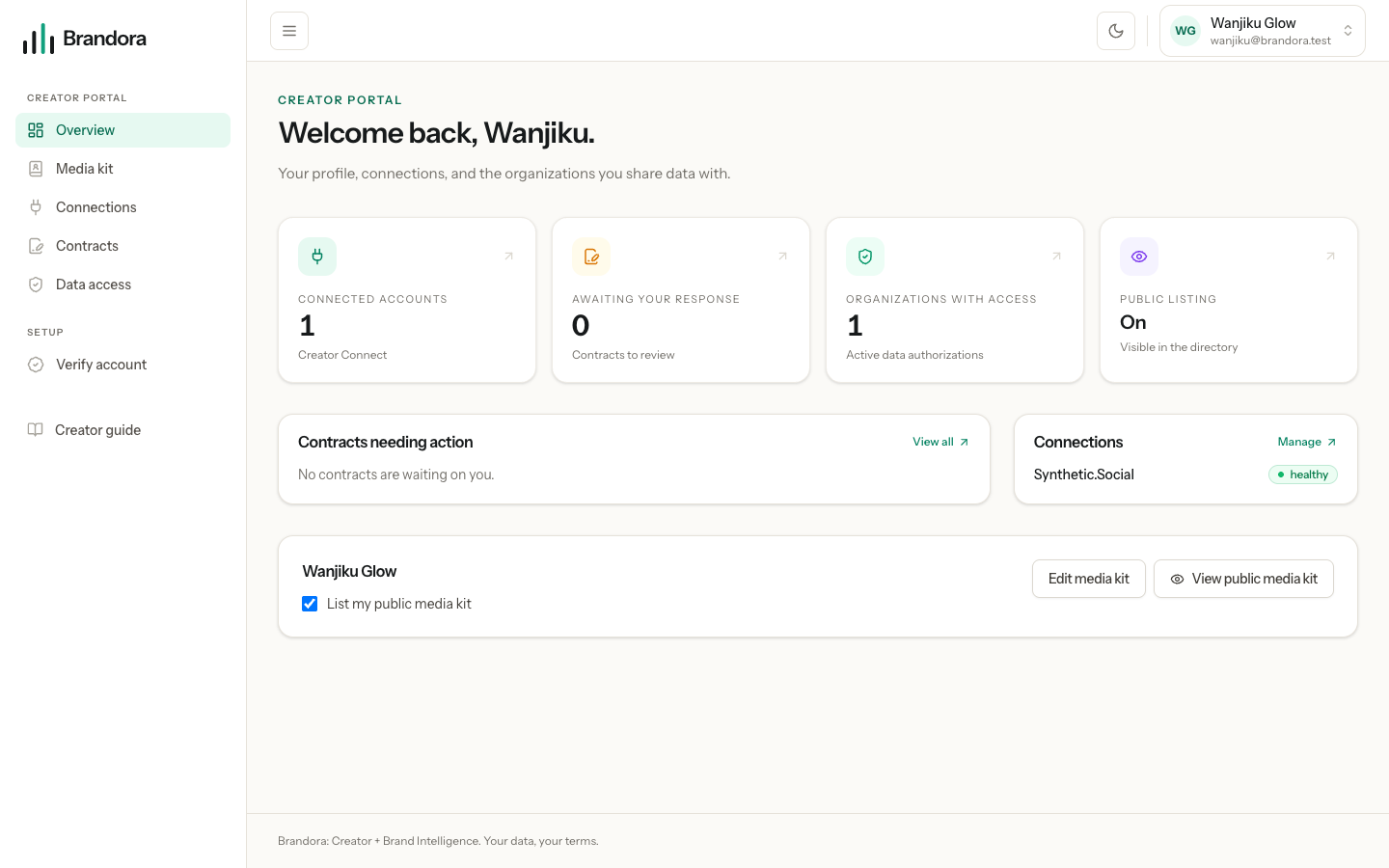
When you sign up as a creator, Brandora creates an account and nothing else. There is no organization behind it, no team, no shared billing and no roster. Your account is marked as a creator account, the agreement you tick at signup is stored with the date you gave it, and you land in the creator portal at /creator.
Everything in the portal hangs off one thing: your creator profile. That profile is the identity that owns the social accounts you verify, your media kit, the rates you publish, and your side of any contract. An agency can keep its own notes about you in its workspace, and those notes are theirs, but the profile and the connections are yours.
Note: A creator account belongs to no organization. If you sign in and see campaigns, a roster and teammates, you are looking at a workspace, not the creator portal.
How it differs from a workspace account
A workspace account is what an agency or brand team uses. The two are different shapes, not different tiers.
| Creator account | Workspace account | |
|---|---|---|
| Belongs to | You alone | An organization, with members and roles |
| Main object | Your creator profile | Campaigns, brands and a creator roster |
| Where you land | /creator | The workspace dashboard |
| Can see | Your profile, connections, contracts, data access | Everything in that organization it has the role for |
| Pays for a plan | No | Yes |
An account without the creator hat cannot open the creator portal, and an account that belongs to no workspace cannot open one. If you try either, you are sent back to the surface your account can use, and no creator account can reach the admin console at all. That separation is enforced on the server, not by hiding menu items. One account can hold both hats, which is covered below.
Opening a creator account
Go to /creator/register and give your name, email and a password. You also have to tick the agreement that lets Brandora manage your creator profile and connected accounts. That box is required: without it the account is not created, and the moment you tick it is recorded on your account.
Brandora then sends you a verification email and signs you in. Nothing about your social accounts has happened yet, and no agency can see anything new.
Two shortcuts may appear under the form, depending on how this deployment is configured:
- Continue with Google. You choose whether you are creating a creator account or a workspace on the next screen, and the creator choice asks for the same agreement before it goes ahead.
- Continue with Instagram. This is sign-in only, and it shows up only where Instagram sign-in has been switched on. Instagram gives Brandora no email address, so you are asked to type one, and that address is treated as unproven until you confirm it by email like anyone else.
Warning: Signing in with Instagram is not the same as connecting Instagram. The sign-in token is used to read your account id and handle, then discarded. It writes no connection, collects no posts, and gives no agency access. Connecting is a separate, explicit step covered in Connecting your social accounts.
What you can do straight away, and what waits
A brand new creator account can sign in, look around the portal and read anything sent to it. The rest of the portal opens in two steps: verify a social account, then claim your profile. Until you have done both, the media kit editor, your published rates and the public listing toggle stay closed, because they all write to a profile you have not yet proved is yours. Verifying your account walks through it.
The portal navigation has five places:
- Overview, the summary and the public listing toggle
- Media kit, your public page and your rates
- Connections, the social accounts you have connected
- Contracts, what brands have sent you to sign
- Data access, the workspaces that can read your connected data
If you also run an agency
Being a creator and belonging to a workspace are independent, not opposite. The same account can hold both. From your account settings you can turn the creator side on, and Brandora remembers which portal to open when you sign in so you are not asked every time.
Turning the creator portal off again is deliberately harder than turning it on. Brandora refuses while a connected account is still collecting, or while any workspace still has active access to your data, and it tells you which. It will not revoke on your behalf, because quietly cutting an agency off is not something an account setting should decide for you. Revoke the connection or the access first, then turn the portal off.
Note: Turning the creator portal off deletes nothing. Your claimed profile, contracts, rate cards and history stay exactly as they are. Only the portal closes, and you can open it again.