User guide
Importing creators
Bring a creator list in from a spreadsheet or another platform, which columns are understood, and what the import will refuse to store.
Most agencies already have their creator list in a spreadsheet. Brandora reads it directly, and tells you row by row what it could not store rather than guessing. This page covers the two import paths, the exact column names each one understands, how values are interpreted, and the things an import will silently leave behind.
Two ways in
Both start from /roster, both need Manager and above, and both end in the same writer, so the rules below apply to each unless said otherwise.
| Import CSV | AI import | |
|---|---|---|
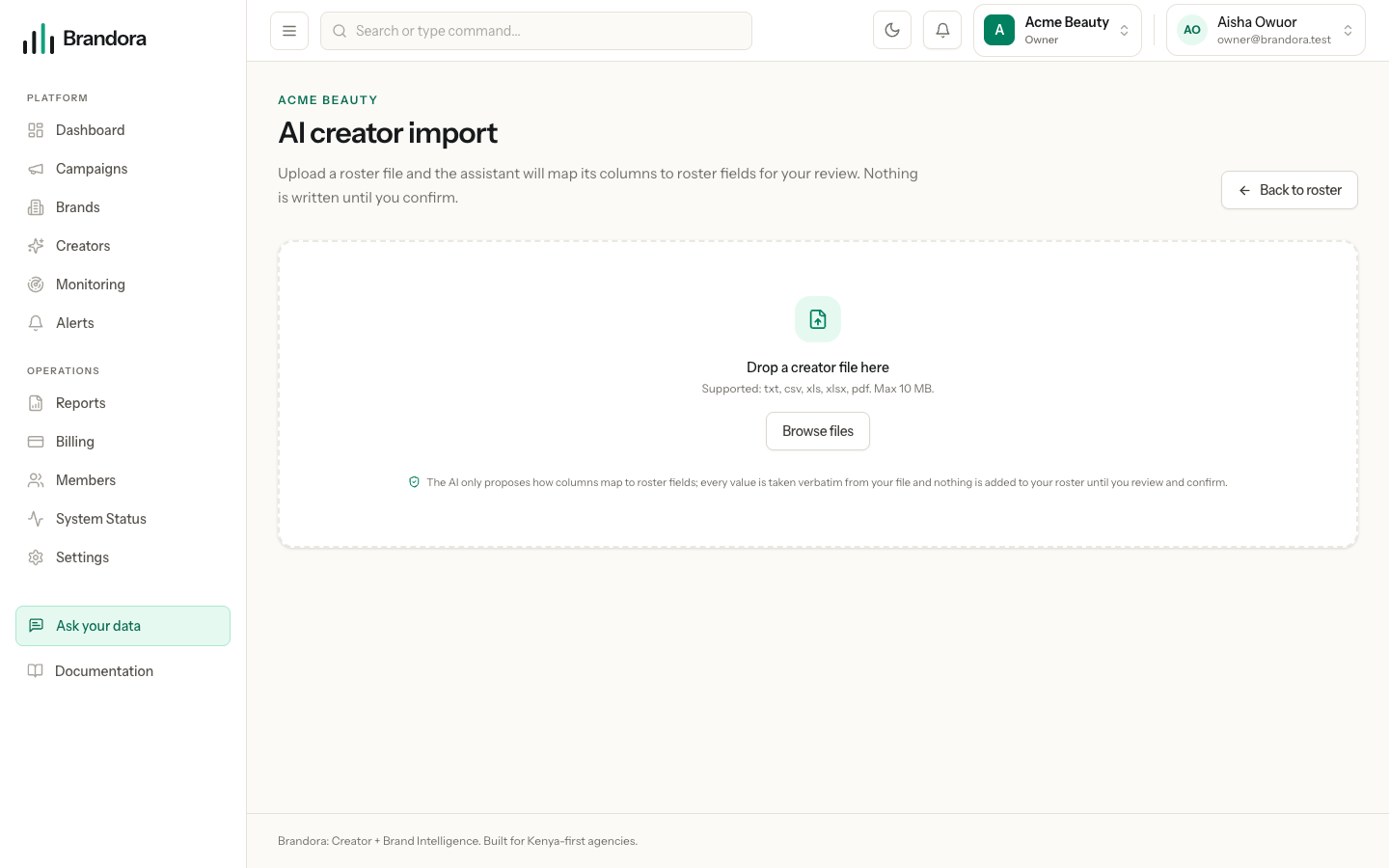
| Where | The Import CSV button on the roster | The AI import button, at /roster/import |
| Column names | A fixed vocabulary, matched exactly | Any headers, mapped for you and editable |
| File types | .csv and .txt | .csv, .txt, .xls, .xlsx, .pdf |
| Preview before writing | No, it writes immediately | Yes, nothing is written until you confirm |
| Speed | Immediate | Queued, so it takes a moment to become ready |
| Size | 5 MB uploaded, or 2,000,000 characters pasted | 10 MB |
| Rows | 5,000, silently truncated | 5,000, with a notice |
| Plan check | None | Refused at confirm if the import would exceed your tracked creators allowance |
The columns Brandora understands
Only name is required. If the header row has no name column the whole file is refused, with the message "Missing a required name column in the header row." Every other column is optional, and a file with only names imports fine.
Header matching is forgiving about formatting and strict about words: Brandora lowercases each header and collapses every run of punctuation or spaces into a single underscore, so Follower Count, follower-count and FOLLOWER COUNT are all the same column. The direct CSV path does not guess at synonyms.
| Field | Accepted headers |
|---|---|
| Creator name (required) | name |
| Platform | platform |
| Handle | username, handle |
| Follower count | followers, follower_count |
| Category | category, categories |
| Country | country |
| Language | language |
| Gender | gender |
| Exact age | age, exact_age |
| Age band | age_band, ageband, age_range, age_bracket |
| Engagement rate | engagement_rate, engagement |
| Tags | tags |
| Notes | notes |
Tip: The Import CSV dialog has a Download template button that gives you brandora-roster-template.csv, whose header row is exactly the vocabulary above and whose sample rows show an exact age and an age band side by side. Starting from it avoids most mapping surprises.
Brandora sniffs the delimiter, so comma, semicolon, tab and pipe separated files all work, and it hunts for the header row within the first 50 records, so an export with a few decorative rows above the headers still imports.
How values are read
| Value | Rule |
|---|---|
| Follower count | Commas and spaces are stripped, and k, m and b suffixes are expanded. 12.5k becomes 12500 and 1,200 becomes 1200 |
| Exact age | A whole number from 13 to 100 |
| Age band | One of 18-24, 25-34, 35-44, 45+. Spaces are ignored, so 18 - 24 works. A narrower range that fits wholly inside a band is narrowed onto it, so 30-34 is stored as 25-34 |
| Gender | m, male, f and female in any case. Nothing else |
| Country | A country name from a curated list, or a bare two-letter code. Kenya becomes KE. One country per cell |
| Language | Split on semicolons, pipes, commas or slashes and folded onto language codes, so English;Swahili becomes two languages |
| Engagement rate | A trailing % is stripped, and the number is read as a percentage. 4.6 and 4.6% both mean 4.6 percent |
| Categories and tags | Split on semicolons or pipes only, and lowercased. A comma separated list stays one value in the direct CSV path |
| Handle | A leading @ is stripped, and nothing else |
| Platform | Lowercased and stored as written |
Age is routed by the shape of the cell rather than by the column it sat under, because one real spreadsheet column often holds 21 on one row and 25-34 on the next. Either age column accepts either shape.
Warning: Platform names are not checked against a list. IG, Insta and Instagram Reels are all accepted and stored as written, and none of them will match a platform filter elsewhere in the product. Use instagram, tiktok, youtube, x or facebook.
What the import will not store
- Any column outside the vocabulary is dropped without comment. There is no email, phone, city, bio, rate, fee, currency or link column, and you are never told which of your columns were ignored. Contact details and prices in your spreadsheet do not come across; rates are recorded separately as rate cards on the creator's profile.
- A status column is never read. Every imported creator lands as
ACTIVE, and an import never changes the status of a creator already on your roster. - A follower count or engagement rate that cannot be parsed is left blank by the direct CSV path with no warning.
82,000+parses as nothing. The AI import path does flag both. - A platform without a handle, or a handle without a platform, drops the whole account, including the follower count on that row.
- Beyond 5,000 rows, the direct CSV path stops reading and does not tell you. Split a larger file yourself.
- A blank cell never clears an existing value, so there is no way to blank a field through an import.
- Only the first language reaches the creator's primary language. The rest are kept on the creator's profile.
- Two columns that normalize to the same name collapse, and the first non-empty value wins.
- A full profile URL in the handle column is stored verbatim, because the roster importer does not extract a handle from a URL.
Row warnings
A warning means the row imported but one value could not be stored; an error means the row was skipped. Both carry the real line number from your file, so you can go straight to the offending row.
| Warning | What it tells you |
|---|---|
| Gender not recognised, left blank | The cell was not one of m, male, f, female |
| Age outside 13 to 100, left blank | A whole number was found, but out of range |
| Not a whole age between 13 and 100, nor a range inside 18-24, 25-34, 35-44 or 45+, left blank | The cell was neither an age nor a band Brandora can represent |
| Country not recognised, left blank | The country name or code did not resolve |
| The file had empty rows, which were ignored | Reported once for the whole file |
The AI import adds four more before you commit: "No creator name, row will be skipped", "Appears more than once in this file", "Already on your roster, will be updated", and "Follower count not a number, left blank" with its engagement rate counterpart.
Errors are shorter. A row with no name is skipped with "Missing creator name; row skipped.", and a row that fails outright reports "Could not import row." Each row is written on its own, so one bad row never rolls back the rest.
Re-importing the same people
Brandora matches an incoming row to an existing creator by name, lowercased with extra spaces collapsed, within your organization only. Nothing else is used: not the email, not the handle, not the platform.
A match is an update rather than a duplicate, and the summary counts it under updated. Tags are merged with what is already there and never removed, a note replaces the stored note only when the incoming note is not blank, and the typed spelling of the name wins so a corrected capitalisation is picked up.
Warning: Changing someone's handle in a re-import adds a second account rather than renaming the first, and the old account stays on the profile. Fix handles before the first import if you can.
The AI import wizard
Upload a file with unfamiliar headers and Brandora proposes a mapping from your columns onto roster fields. You review and change every mapping before anything is written, and columns you do not want are set to Ignore. Editing a mapping re-derives the preview without another model call.
The assistant only proposes how columns map. Every stored value is taken verbatim from your file, nothing is invented, and the closed vocabularies (gender, age and age band) are always read by the rules above rather than reshaped.
The preview is paginated at 50 rows and carries the per-row warnings, so you can see the damage before you accept it. Confirm writes the rows and deletes the staged file. Discarding before confirm writes nothing; discarding after confirm removes the import record but not the roster rows it created, because there is no undo on an import.
After the import
Imported figures are yours, not verified ones. Every follower count that arrives this way is recorded and displayed as an import estimate, and the accounts are marked as not connected. They become first-party figures only if the creator connects that account through Creator Connect and authorizes your organization.