Creator guide
Who can see your data
Grant an organization access to your verified data, see exactly what that shows them, and revoke it at any time.
A workspace can read the posts and figures behind your connected account only while you have an active authorization for that workspace and that connection. This page says exactly what an authorization opens up, what it leaves out, what a workspace can already see without one, and what happens the moment you revoke.
The rule
Being on a campaign with a brand grants them nothing. Being on their roster grants them nothing. Being invited by them grants them nothing. The only thing that lets a workspace read your connected data is an active authorization naming that exact workspace and that exact connection, and every read is checked against it at the moment it happens.
Your connections are owned by your creator identity, never by a workspace, and that stays true even when an agency helped you connect the account in the first place.
What an authorization lets a workspace do
An active authorization lets that workspace sync your connection and read what came back: your recent posts and the figures attached to them, and the account level figures collected with them. A grant is scoped either to the whole workspace or to a single campaign, and it can carry an expiry date, after which it stops working on its own.
It does not include:
- your Instagram access token or password, which are never sent to any workspace under any circumstances
- your other connections, which each need their own authorization
- any other workspace, because a grant is never shared or transferred
- anything about your other campaigns, your other clients or your other contracts
What a workspace can see without one
This is the part people are usually surprised by, so it is worth being plain about.
If you created your profile yourself by verifying an account, your profile sits in the shared creator pool. Any workspace signed in to Brandora can find it through creator discovery and see your display name, country, language, bio, categories, the platform handles on your profile, and the follower and post counts stored against them. Those counts are refreshed by your own syncs, so they are current.
If your profile was created by an agency that invited you, it stays attached to that workspace, and other workspaces cannot see it at all.
What no workspace can see without an authorization: your individual posts, the figures on each post, your account reach, and your audience split by country, age and gender.
Note: Turning off your public directory listing does not remove you from creator discovery. The directory is the signed-out public web page; discovery is the search inside the product. They are different surfaces, and the first is not a switch for the second.
How grants are made today
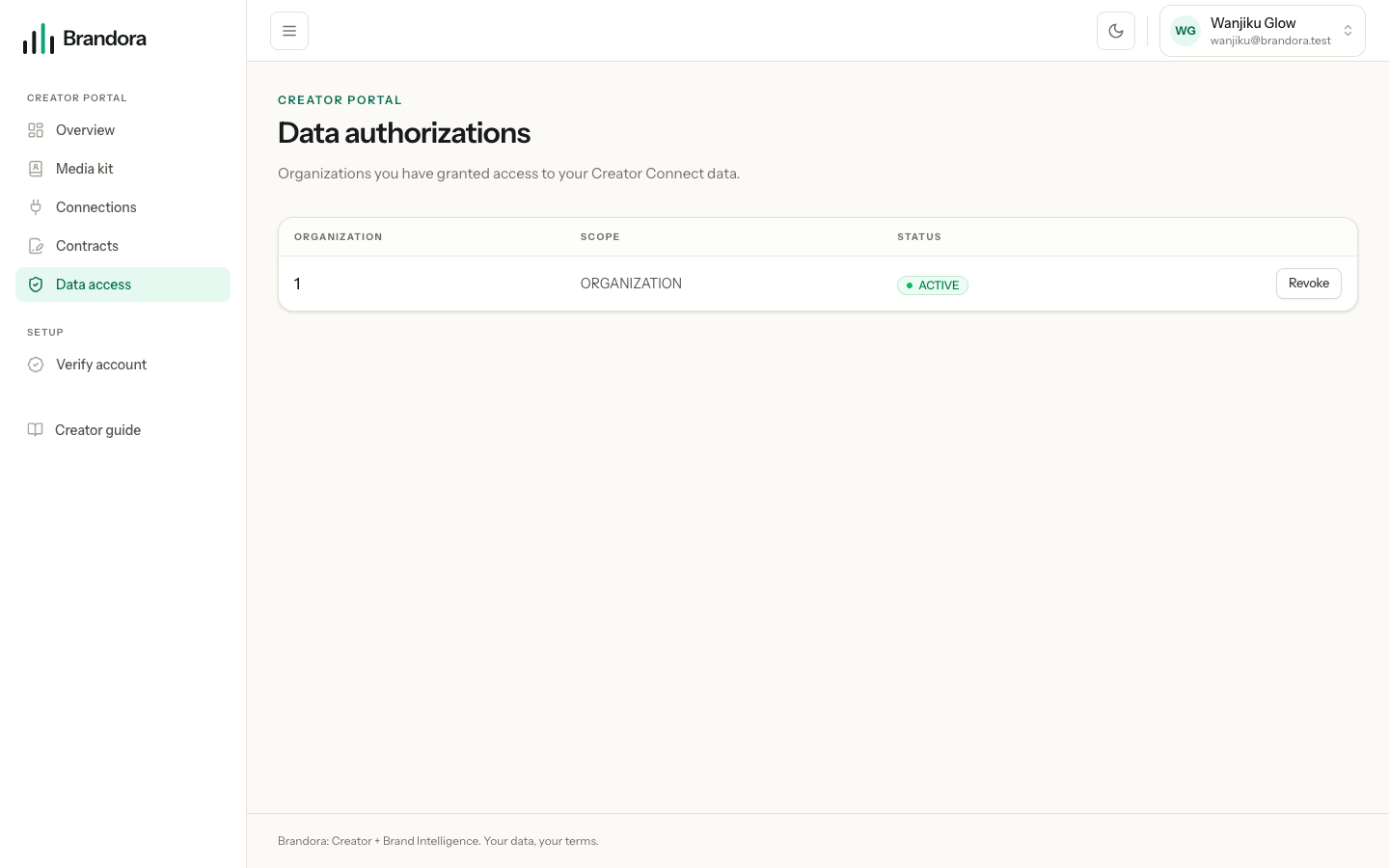
Today an authorization is created from the workspace side. A manager who is working with you creates it against your connection, usually as part of setting up a campaign, and it takes effect straight away. There is no request-and-approve step in your portal yet: you do not get a prompt asking you to say yes first.
We would rather write that down than imply a consent screen that does not exist. What you do have is complete visibility and an unconditional veto: every grant that exists appears on /creator/authorizations, including ones you did not create, and you can revoke any of them at any moment without asking anyone.
Warning: Check that page after you start working with a new workspace. If a row is there that you did not expect, revoke it. Nothing about the campaign breaks: the brief, the deliverables and the contract are unaffected, and only the reading of your connected data stops.
The list shows the workspace, the scope and the status. The workspace is shown by its internal number rather than its name at the moment, so if you work with several, match the row against the campaign you are talking to them about, or revoke and let them ask again.
Revoking, and what it stops
Press Revoke on the row. From that instant:
- that workspace cannot sync your connection again
- that workspace cannot read your posts or figures through Brandora again
- the grant stays visible in your list, marked revoked, so there is a record of it
Revoking a connection itself is stronger still: while a connection is revoked, no workspace can read it, whatever grants exist. Deleting a connection goes further again and removes every grant that pointed at it along with the data.
What a workspace keeps
Be clear-eyed about this. Revoking is forward looking. It closes the door; it does not walk back through it.
A workspace keeps its own records of working with you: your roster entry, its notes and tags, its private rate card for you, your campaign assignments and briefs, deliverables, submissions, contracts and payment records. Those are its business records, not your connected data, and they are not deleted because you revoked access.
It also keeps anything it had already produced while access was live: a frozen report, an exported file, a screenshot, a number written into a deck. Brandora cannot reach into a report someone already saved, and no revocation anywhere can. What it can do, and does, is stop any new reading from that moment on.
Note: You cannot turn your creator portal off while a workspace still has active access. Brandora tells you how many workspaces are involved and asks you to revoke them first, rather than silently cutting an agency off as a side effect of an account setting.