Creator guide
Your media kit and directory listing
Build a media kit that shows verified figures beside your own, and choose whether to appear in the public directory.
Your media kit is the page brands see when they find you: your story, your platforms, your rates and the figures from your connected account. This page covers what you write, what is shown as verified, and how the public directory listing is turned on and off.
Building it
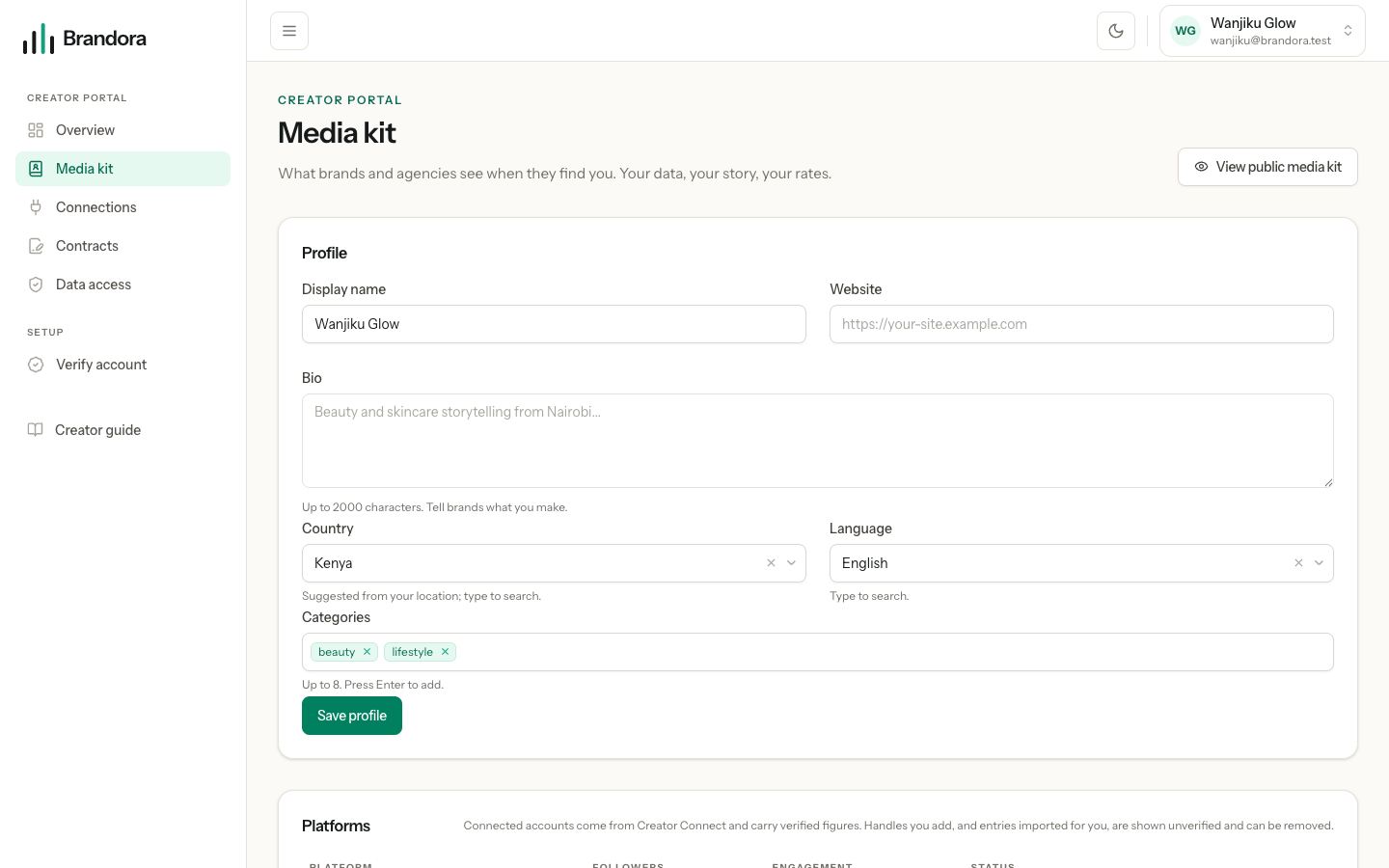
The editor is at /creator/media-kit and opens once you have claimed your profile. You write:
- a display name, a website and a bio of up to two thousand characters
- your country and main language
- up to eight categories, so a brand searching for beauty or fintech can find you
- the platforms you are on, and the rates you are willing to publish
Platforms, and where each row came from
Every platform row carries a label saying where it came from, because the difference is the whole point.
| Label | What it is | Can you remove it |
|---|---|---|
| Connected | Creator Connect is collecting from this account | Only by deleting the connection, because the next sync would put the row back |
| Self-reported | A handle you typed in yourself | Yes |
| Imported | A row that arrived from a roster import, or that a revoked connection left behind | Yes |
A self-reported handle is exactly that. Brandora stores it unverified and never uses it as evidence of anything. Adding one is useful so a brand can see where else you post, and it is not a shortcut to verified figures.
The engagement column is blank until a connected account has posts to average, because there is nothing honest to put there otherwise.
Rates
Add one rate per deliverable type, with an amount and a currency, and choose whether it is public. Only the public ones ever appear on your media kit; the rest are notes to yourself. Nothing here is negotiated for you and nothing is charged: the rate card is a starting point that a brand can see before they write to you.
Note: The rates a workspace keeps about you in its own roster are separate, private to that workspace, and never shown to you or to any other workspace. Your published rates are the only ones you control. See Contracts and rate cards.
Verified figures beside your own
Two kinds of number can appear on your media kit, and they are kept apart on purpose.
Verified performance is built only from what your connected account reported: followers and reach per account, average likes, comments and views over your most recent connected posts, and your audience split. It is labelled as coming from a connected account and stamped with when it was collected. If a demo provider is in use, it is labelled as a sample instead, so a made up figure can never pass for a measured one.
Headline metrics are the older, general figures held on your profile record: engagement rate, average likes, comments, views, and total followers. These can come from an import or an estimate. They are shown in their own block and are never merged into the verified ones, and a missing verified figure is never quietly replaced by an estimate.
Note: The small Verified marker beside a platform row is Instagram's own verification badge for that account, not a statement about where the follower number came from. Brandora does not currently set that flag itself, so most profiles show Estimate there even when Creator Connect is running. The Verified performance block is the part drawn from your connected account.
Appearing in the public directory
The public directory at /directory is opt-in twice over. A profile appears only if it has been claimed by the creator and the creator has switched public listing on. A roster entry an agency typed in, and a profile you have claimed but not listed, are both invisible there, and always will be.
The switch is List my public media kit on the portal overview. Until you turn it on, the editor shows a reminder that your media kit is not listed.
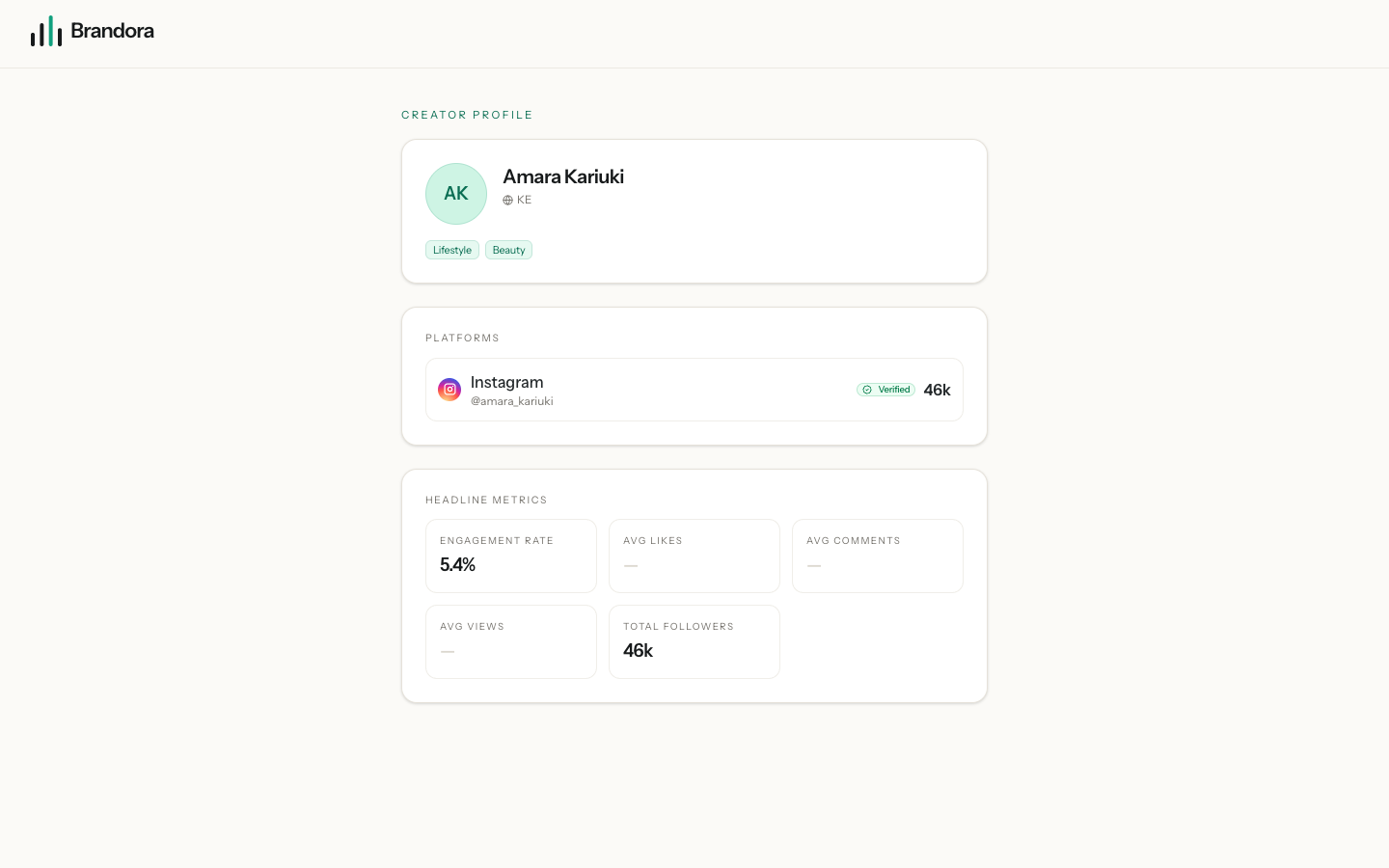
When you are listed, anyone with the link, signed in or not, can see your display name and avatar, country, bio, categories and website, your platforms with their usernames and follower counts, your public rates, your verified performance figures and your headline metrics.
Warning: The data behind the public page also carries your audience split from your connected account: the share of your followers by country, by age band and by gender. The page itself shows only the headline tiles, but anyone reading the public feed directly can read the split. If that is more than you want public, do not switch public listing on, or revoke the connection that produces it.
What is never public: an agency's private notes, tags and rate cards about you, anything about your campaigns or contracts, and any exact age or age band a roster holds, which stays inside that one workspace.
Leaving the directory
Turn List my public media kit off. The public page stops answering immediately, and it answers exactly as it would for a profile that never existed, so nobody can tell the difference between you having left and you never having been there.
Nothing is deleted when you leave. Your media kit, rates and connections stay exactly as they were, ready if you switch it back on. If you want the underlying figures gone as well, delete the connection that collected them, which is covered in Connecting your social accounts.
Note: Turning public listing off does not hide you from workspaces that are signed in to Brandora. That is a separate question, answered in Who can see your data.